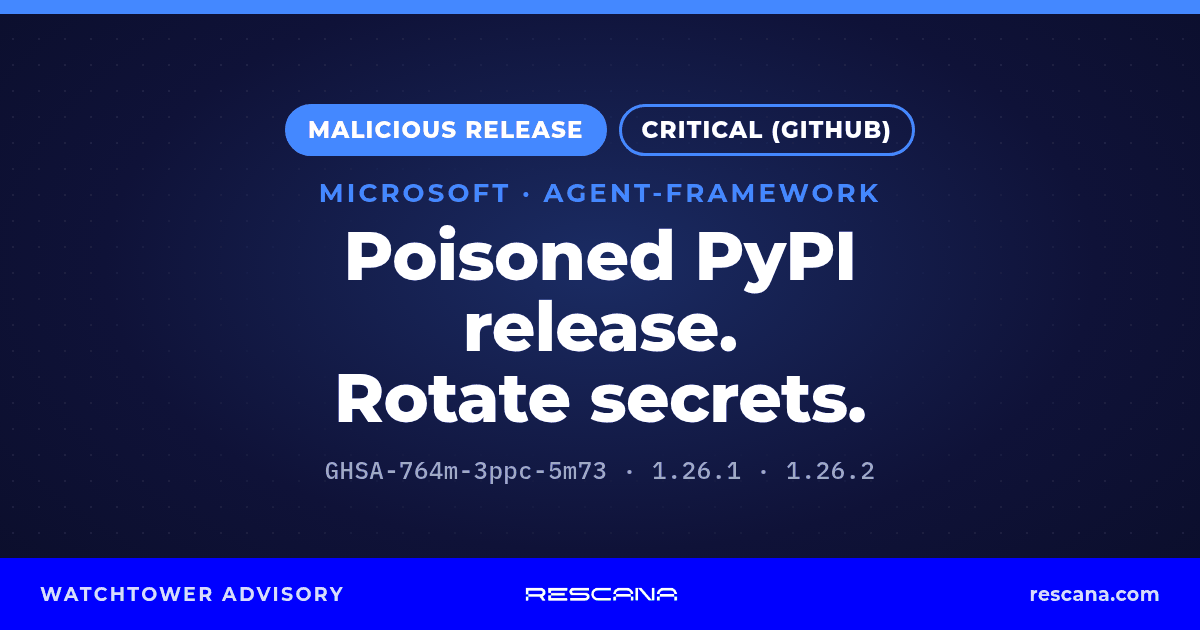
Status: On November 17, 2026, two unauthorized releases of agent-framework, the Python package for Microsoft Agent Framework, were published to PyPI: 1.26.1 at 15:35 EST and 1.26.2 at 16:08 EST. Both add a credential stealer that runs through a .pth startup file every time Python starts in the environment where the package is installed, without the package ever being imported. GitHub's advisory GHSA-764m-3ppc-5m73 classifies the releases as malware (CWE-506, embedded malicious code), rates them critical, and says 1.26.0 is the last clean release; the Python Packaging Authority's advisory PYSEC-2026-4388 says both versions were uploaded "without authorization" and have been removed from PyPI. The stealer collects environment variables and credential files, and requests fresh tokens from Azure DevOps, GitHub Actions (1.26.2 only) and Azure managed identity endpoints, then sends everything to a single webhook.site address. Wiz reports that both versions were no longer available on PyPI by 16:30 EST the same day. Neither GitHub's nor PyPA's advisory lists a CVE ID. The agent-framework compromise (GHSA-764m-3ppc-5m73) is not in CISA's Known Exploited Vulnerabilities (KEV) catalog (catalogVersion 2026.11.18, checked 01:06 EST on November 20, 2026). Microsoft has not published an advisory; its only public comment, given to The Register, is that it has "made some repositories private while we investigate malicious content." We last checked all sources between 01:44 and 01:45 EST on November 20, 2026.
Executive Summary
This is not a typosquat. The malicious wheels were published under Microsoft's own agent-framework project on PyPI (GitHub, PyPA and OpenSourceMalware all describe the legitimate package), so pinning to the right package name, trusting the publisher or checking that the project is genuine would not have helped anyone whose install resolved to 1.26.1 or 1.26.2. The package averages about 196,000 downloads a month across all versions, according to Elastic Security Labs; that figure says nothing about how many people installed the two malicious versions.
What makes this incident different from a routine bad release:
- Installing was enough. Python processes
.pthfiles in site-packages at every interpreter start. GitHub's advisory says the code runs at every interpreter start, and Wiz says any Python process started in that environment ran the payload. That includespipitself and unrelated scripts (Rescana's reading). - It does not only read secrets, it mints new ones. Inside Azure DevOps pipelines it asks the pipeline's OIDC endpoint for a token, on Azure hosts it asks the managed identity endpoint for tokens to 12 Azure resources, and in 1.26.2 it asks GitHub Actions for OIDC tokens. As Elastic puts it, "Those tokens are how a compromised build can reach the Azure subscription behind it."
- The window on PyPI was short, but the exposure is not. By Wiz's timeline, both versions were gone from PyPI within 55 minutes of the first upload. Lockfiles, container images, CI caches and internal package mirrors created in that hour can keep the malicious version in circulation long after PyPI removed it (Rescana's reading).
- How the attacker got publishing access is not confirmed. Wiz assesses that the attacker used a compromised client certificate and private key for Microsoft's Engineering System Release Pipeline (ESRP), the internal service Microsoft uses to sign and publish the package. Microsoft has not confirmed this or described the root cause.
Who should act first (Rescana guidance). Any team whose Python dependency resolution for agent-framework, direct or transitive, ran between 15:35 and 16:30 EST on November 17 without a pin to 1.26.0 or earlier, and anything installed later from a lockfile, cache, image or internal mirror populated in that window: CI pipelines on Azure DevOps or GitHub Actions, container builds, developer laptops and Azure-hosted workloads with a managed identity. Then any supplier that builds AI agents on Microsoft Agent Framework in Python.
Technical Information
What the records say. GitHub's advisory describes "malicious releases of the legitimate 'agent-framework' package (Microsoft Agent Framework)" and says the rest of each wheel matches 1.26.0, with the dependency on agent-framework-core[all]==1.26.0 unchanged. The real framework therefore still installed and worked, which made the compromise easy to miss. The PyPA advisory says both versions were wheel-only releases "repackaged from the legitimate 1.26.0 wheel."
How it triggers. In 1.26.1 the wheel adds agent_framework_meta.pth, a one-line file that imports agent_framework_meta, whose __init__.py was modified to start agent_framework_meta/_telemetry.py. In 1.26.2 the attacker restored the clean __init__.py and moved the trigger to a new af_runtime_diag.pth and af_runtime_diag.py, so a search for the 1.26.1 file names alone misses 1.26.2, as Wiz points out. In both versions the stealer sets an environment marker, _AF_TEL=1, so it runs once per process tree, then forks a detached background process and suppresses every error. Elastic reports that on Windows, where fork is not available, it runs in a background thread instead. Wiz notes that the file names and the User-Agent are made to look like SDK telemetry.
What it collects, per GitHub, PyPA, Wiz and Elastic.
| Target | What the sources describe |
|---|---|
| Host context | Hostname, user, working directory, command-line arguments |
| Environment variables | Names containing TOKEN, SECRET, PASSWORD, KEY, AZURE, AWS, GITHUB, HF_, OPENAI, NPM, PIP, CI_ and more; Elastic lists over 30 strings, including SYSTEM, BUILD, AGENT, NUGET, TENANT and CLIENT |
| Other processes | Secret-looking values from up to 300 /proc/<pid>/environ files on Linux |
| Credential files | Azure CLI (~/.azure), pip.conf, .npmrc, .netrc, .git-credentials, Docker config.json, Hugging Face tokens, Azure Pipelines agent .credentials, .env files under /app and /workspace (Wiz adds JSON files there); up to 60 files in 1.26.1 and 80 in 1.26.2 |
| Azure DevOps | An OIDC token request to the pipeline endpoint (SYSTEM_OIDCREQUESTURI), authenticated with SYSTEM_ACCESSTOKEN |
| Azure managed identity | Tokens for 12 resources, including Azure Resource Manager, Microsoft Graph, Key Vault, Storage, Container Registry and Azure DevOps, from the instance metadata service or the App Service identity endpoint, plus instance metadata such as subscription and resource group |
| GitHub Actions (1.26.2 only) | OIDC tokens for the audiences api://AzureADTokenExchange and management.azure.com in workflows with id-token: write; the runner values ACTIONS_ID_TOKEN_REQUEST_URL, ACTIONS_ID_TOKEN_REQUEST_TOKEN and ACTIONS_RUNTIME_TOKEN (GitHub); environment names containing ACTIONS, OIDC, RUNNER and ARM_ (Wiz); GitHub-hosted runner paths under /home/runner |
Elastic adds a limit on the Azure DevOps request: it omits the service connection parameter that Microsoft's documented flow uses, so "it is unclear whether these requests return a token that matches any federated credential." Elastic also notes that a usable token, "whether through this request or from the environment variables exposed by Azure tasks," could be exchanged for Entra ID access as the identity behind the service connection. Wiz adds that where an Entra ID federated credential trusts a GitHub workflow that has id-token: write, the GitHub tokens "can be exchanged for Azure access, with no stored secret needed."
Exfiltration. Everything goes into one JSON document, compressed with zlib, base64-encoded and sent in one HTTPS POST to a hardcoded webhook.site URL, stored base64-encoded in the code. Wiz reports no fallback channel, and the OpenSourceMalware team reports no second-stage download and no command handling. The stealer is not persistent at the operating system level: it creates no service or scheduled task, and keeps running only while its files stay in site-packages, according to OpenSourceMalware.
How far the theft got, per Wiz. Wiz reports that the webhook.site URL was on the service's free tier, where a URL "accepts at most 100 requests" and later requests get HTTP 410 or 429 "and are not logged", and that it analysed the 50 requests that were stored: four came from the attacker's own machines, 29 from sandboxes, vendor scanning and tests, and 17 represented "only three unique, successful cases of exfiltration of victim data." Wiz adds that those requests "can contain working cloud, CI and registry credentials." Three is the number of victims visible in the stored requests, not proof that your environment was not among them, so run the egress checks below (Rescana's reading).
How the releases were published. The sources differ, and none of them is Microsoft:
- Wiz (update of November 18, 09:00 EST) assesses that the attacker "appears to have compromised a client certificate and private key for Microsoft ESRP," that a first publish attempt from AWS was rejected by ESRP's IP filtering, and that a second attempt from Microsoft-owned IP space succeeded. Wiz says how the credentials were obtained "is not yet known."
- The Register, citing OX Security, reports that 1.26.2 was uploaded "through Microsoft's official PyPI publisher account" after 1.26.1 had been pulled. BleepingComputer reports the second release came about 2.5 minutes after PyPI quarantined the first, which shows the attacker still had publishing access at that point.
- The PyPA advisory says "PyPI Security worked with Microsoft to review the project's accounts and complete remediation steps," and credits Microsoft with the remediation.
What Microsoft has said. A Microsoft spokesperson told The Register on November 18: "We have made some repositories private while we investigate malicious content. Our priority is to protect customers and the broader ecosystem. We are working to review and will take further action as needed." The statement names no repositories and does not describe the PyPI releases. We found no Microsoft security advisory, MSRC blog post or Microsoft Learn notice about the releases (MSRC blog, Security Update Guide feed and the Microsoft Learn Agent Framework page, checked 01:08 EST on November 20). The project's GitHub repository, which PyPI lists for its source, issues and release notes, returned GitHub's not-found page to unauthenticated requests when we checked at 01:44 EST on November 20; Microsoft has not said which repositories it made private.
Attribution. GitHub's advisory says: "We have not attributed this to a known campaign." No source we reviewed names a threat actor, and we name none.
Signals, as published.
| Signal | Value | Source and time |
|---|---|---|
| Advisory classification | Malware, CWE-506; GitHub severity critical; no CVSS score | GitHub Advisory Database, published November 17, 2026, 19:31 EST |
| Catalog status | The agent-framework compromise (GHSA-764m-3ppc-5m73) is not in CISA's Known Exploited Vulnerabilities (KEV) catalog. | catalogVersion 2026.11.18, 1,786 entries, checked 01:06 EST on November 20, 2026 |
| Data stolen from victims | Three unique successful exfiltration cases among 50 stored requests | Wiz, update of November 18, 2026, 09:00 EST |
| Proof of concept | None of the sources we reviewed reports a public proof of concept, and none is needed: the malicious code is the release itself | GitHub, PyPA, OpenSSF, Wiz, Elastic, OpenSourceMalware; raw-HTML anchors checked November 20, 2026 |
CISA adds only vulnerabilities that have a CVE ID to the KEV catalog, and none has been assigned here, so KEV status says nothing about exploitation in this case (Rescana's reading).
Affected Product Versions
| Package and version | Status | Source |
|---|---|---|
agent-framework 1.26.1 (wheel, sha256 d27fa34414e6201d5e03e559ef634f020057554d7b3f4898dd5d7cd3e989e110) |
Malicious; published November 17, 15:35 EST; removed | GitHub and PyPA advisories |
agent-framework 1.26.2 (wheel, sha256 3d20a8bc91351a9a16b6db243b848ceca0206b7a8623b02d2af553a9c9f7e0a9) |
Malicious; published November 17, 16:08 EST; removed | GitHub and PyPA advisories |
| agent-framework 1.26.0 and earlier | Not affected; 1.26.0 (November 12, 2026) is the last clean release and the latest version on PyPI at our check | GitHub and PyPA advisories, PyPI JSON API |
| agent-framework-core and the other agent-framework-* packages | Not named as affected by any advisory we reviewed; none had a release uploaded on or after November 17 (PyPI JSON API, checked 01:44 EST, November 20, 2026) | GitHub, PyPA and OpenSSF advisories |
How to read this (Rescana's reading). There is no "fixed version" in the usual sense: the safe state is 1.26.0 or earlier, installed into a clean environment. GitHub's advisory lists no patched version because the bad releases were removed rather than superseded. Removal from PyPI does not remove the package from machines, images or caches that already have it.
Why lock more than one package (Rescana's reading). agent-framework is a thin meta-package. Its 1.26.0 release pins agent-framework-core[all]==1.26.0 exactly, but the all extra of agent-framework-core 1.26.0 accepts a range of releases, in most cases anything below 2.0, for 29 sibling packages such as agent-framework-openai and agent-framework-foundry (PyPI metadata). A pin on agent-framework alone does not freeze those.
Timeline (EST)
- November 12, 13:25: agent-framework 1.26.0, the last clean release, is published.
- November 17, 15:35: malicious 1.26.1 is published.
- November 17, 15:41: Elastic's supply-chain monitor flags 1.26.1 as malicious, per Elastic.
- November 17, 16:08: malicious 1.26.2 is published, about 33 minutes after 1.26.1.
- November 17, by 16:30: both versions are no longer available on PyPI, per Wiz.
- November 17, 17:03: Wiz publishes its analysis; Wiz says it reported its findings to Microsoft that day.
- November 17, 17:12 to 19:31: OpenSSF (MAL-2026-20101), PyPA (PYSEC-2026-4388) and GitHub (GHSA-764m-3ppc-5m73) publish advisories.
- November 18, 09:00: Wiz updates its post with the ESRP root-cause assessment and its analysis of the stored exfiltration requests.
- November 18, 13:05: The Register adds Microsoft's statement on repositories made private.
How to Find Your Exposure
These steps are Rescana guidance, not Microsoft's.
- Do not start Python or pip inside an environment you suspect. Any interpreter start, including
pip show, runs the hook if the package is present. BleepingComputer's advice is the same: avoid running Python or pip there until the environment is secured. Inspect the file system instead. - Search file systems for the hook files and package metadata. On Linux and macOS:
ROOT=/; find "$ROOT" \( -name agent_framework_meta.pth -o -name af_runtime_diag.pth -o -name af_runtime_diag.py -o -path '*/agent_framework_meta/_telemetry.py' -o -name 'agent_framework-1.26.[12].dist-info' \) 2>/dev/null. On Windows:Get-ChildItem -Path C:\ -Recurse -Force -Include agent_framework_meta.pth,af_runtime_diag.pth,af_runtime_diag.py,agent_framework-1.26.1.dist-info,agent_framework-1.26.2.dist-info -ErrorAction SilentlyContinue. Cover every virtual environment, conda environment, user site directory and self-hosted runner work directory. Then, as OpenSourceMalware advises, inspect every executable.pthline in site-packages, which also catches a renamed variant. - Check container images without running them.
IMAGE=your-registry/your-image:tag; CID=$(docker create "$IMAGE"); docker export "$CID" | tar -t | grep -E 'agent_framework-1\.26\.[12]\.dist-info|agent_framework_meta\.pth|af_runtime_diag'; docker rm "$CID".docker createdoes not start the container. Prioritize images built on or after November 17. If a build installed either version, any later build step that started Python ran the stealer with that build's environment, secrets and network access, so treat the build host and its build secrets as exposed even if the final image no longer contains the package (Rescana's reading). - Search lockfiles and build logs. Look for agent-framework 1.26.1 or 1.26.2, or the two wheel hashes, in
requirements*.txt,poetry.lock,uv.lock,Pipfile.lockandpdm.lock, for examplegrep -rnE 'agent[-_]framework.{0,8}1\.26\.[12]|d27fa34414e6|3d20a8bc9135' "$REPO_DIR". In CI logs, search jobs that ran from November 17, 15:35 EST onward foragent_framework-1.26.1oragent_framework-1.26.2. - Check your internal package mirror or proxy. If you run a caching proxy for PyPI, check whether it fetched either version, and from which clients. A cached copy can keep serving the malicious wheel to anything that asks for it by version.
- Check egress. Search proxy, DNS and firewall logs for the webhook.site path in the Indicators of Compromise section below and for the User-Agents
af-runtime-diagnostics/1andruntime-diagnostics/1. Wiz says an HTTP 200 response means the host's data was accepted, and a 410 or 429 suggests it was rejected. The path and User-Agent are visible only where TLS traffic is inspected; DNS logs show only the webhook.site name. A missing log entry is not proof that nothing left, because the request is HTTPS and many networks do not log every destination. - Check cloud and CI identity logs. For every affected host or job, review Entra ID sign-in and activity logs for the managed identities, service principals and workload identity federation credentials it could reach, and Azure DevOps and GitHub audit logs, from November 17, 15:35 EST onward.
Workaround and Mitigation
What the advisories say. GitHub's advisory: "Anyone who installed 1.26.1 or 1.26.2 should treat the environment as exposed and rotate the credentials reachable from it, including CI and GitHub Actions secrets. 1.26.0 and earlier are not affected." The PyPA advisory: "Any system or CI job that installed either version should be treated as compromised. Rotate every credential reachable from it, including cloud identities, CI tokens and package registry tokens, and review cloud and CI audit logs for their use." Elastic and Wiz both say to pin 1.26.0.
Additional steps (Rescana guidance, not Microsoft's).
- Rebuild, do not clean in place. Discard affected virtual environments, runner images and containers and rebuild them from a known-good base with
agent-framework==1.26.0. If you must clean a host in place, delete the hook files listed above with file system tools before any Python process starts, then reinstall, then confirm the files are gone. - Rotate in order of reach. Start with credentials that open cloud control planes and build systems, then work outward:
- Azure: service principal secrets and certificates found in environment variables or files, and Azure CLI sessions cached in
~/.azure(revoke the user's sessions in Entra ID, not only the local cache). - Azure DevOps: personal access tokens, secret-based service connections, and self-hosted agents whose
.credentialsfile was readable (remove and re-register the agent). - GitHub: repository and organization secrets exposed to affected jobs, and personal access tokens or app keys in environment variables or
.git-credentials. - Package registries and tooling: PyPI, npm, NuGet, Docker registry and Hugging Face tokens, and any API keys for model providers such as OpenAI or Azure AI Foundry.
- Application secrets in
.envfiles and any secret held in the environment of other processes on the same Linux host.
- Azure: service principal secrets and certificates found in environment variables or files, and Azure CLI sessions cached in
- Handle short-lived tokens you cannot revoke. Managed identity tokens and tokens exchanged through federated credentials cannot be called back. Wiz says they "are valid for up to 24 hours." Review what those identities did from November 17, 15:35 EST until at least 24 hours after the last affected Python start, and reduce their role assignments if they are broader than the workload needs.
- Tighten federated trust for GitHub Actions and Azure DevOps. For workflows that installed 1.26.2 with
id-token: write, review the Entra ID federated credentials that trust those repositories, as Wiz recommends. Narrow subject claims to specific branches or environments, and grantid-token: writeonly to jobs that deploy. - Purge caches and mirrors. Delete CI caches that hold Python environments or pip caches created on or after November 17, and on affected hosts delete pip's cache (
~/.cache/pip, or%LocalAppData%\pip\Cacheon Windows), which stores downloads under hashed names and cannot be checked safely with pip itself, along with uv and Poetry caches, block 1.26.1 and 1.26.2 in your package proxy, and purge any cached copies. On GitHub Actions, delete the Actions caches written by jobs that installed 1.26.2, becauseACTIONS_RUNTIME_TOKENis the job's credential for the cache and artifact services and a cache written with it can feed later workflows (Rescana's reading). - Lock the whole tree with hashes. Use a lockfile that covers agent-framework, agent-framework-core and every sibling package, and install with hash checking, for example
pip install --require-hashes -r requirements.txt. - Add a delay before adopting new releases. Elastic suggests "adding a delay before adopting newly published packages, since this attack was caught and removed within hours." A cooling-off period of a few days in your package proxy would have kept both versions out.
- Treat developer laptops like build agents. A laptop that started Python with either version installed exposed its Azure CLI session, git credentials and any tokens in its shell environment.
Indicators of Compromise
These indicators come from GitHub's advisory, the PyPA advisory, the OpenSSF record, Wiz and Elastic. We list nothing that those sources do not.
| Indicator | Type | Source |
|---|---|---|
webhook[.]site/d381fd80-ec62-42ad-8f5c-d1b15103c9bb (requests carry ?t=telemetry) |
Exfiltration URL | GitHub, PyPA, Wiz, Elastic |
af-runtime-diagnostics/1 (1.26.1), runtime-diagnostics/1 (1.26.2) |
HTTP User-Agent | GitHub, PyPA, Wiz, Elastic |
agent_framework_meta.pth, agent_framework_meta/_telemetry.py |
Files (1.26.1) | GitHub, PyPA, Wiz, Elastic |
af_runtime_diag.pth, af_runtime_diag.py |
Files (1.26.2) | GitHub, PyPA, Wiz, Elastic |
_AF_TEL=1 |
Environment variable in child processes | PyPA, Wiz |
d27fa34414e6201d5e03e559ef634f020057554d7b3f4898dd5d7cd3e989e110 |
SHA-256, agent_framework-1.26.1-py3-none-any.whl | GitHub, PyPA, Wiz, Elastic |
3d20a8bc91351a9a16b6db243b848ceca0206b7a8623b02d2af553a9c9f7e0a9 |
SHA-256, agent_framework-1.26.2-py3-none-any.whl | GitHub, PyPA, Wiz, Elastic |
39fa329f2a93f734b0bb8f5adb203ea3331d1ae479832a5015a54cb17aabd663 |
SHA-256, _telemetry.py (1.26.1) |
Elastic, OpenSSF |
c275ccbe520ef3c0f02dc6a35389e427f9f1b4e0b12e140cd7bf7179ce143f02 |
SHA-256, modified agent_framework_meta/__init__.py (1.26.1) |
Elastic |
21f28e8517a10ffe431f8d68f5875c85eca4001ae6d118322b0a41873998eb5e |
SHA-256, agent_framework_meta.pth (1.26.1) |
Elastic, OpenSSF |
54d885b7d7161c9ed96489c66364c4bfbf635929166843bba10d97d46b5a2e1f |
SHA-256, af_runtime_diag.py (1.26.2) |
Elastic, Wiz |
325e7e9f0ec94e41ad1a1b7a3f18a6b8b5bffece2e2b97b8d3369eb967452f93 |
SHA-256, af_runtime_diag.pth (1.26.2) |
Elastic, Wiz |
We have bracketed the domain so it cannot be clicked. webhook.site is a public request-inspection service, as Wiz notes, so block or alert on the specific path above rather than treating every request to the domain as malicious (Rescana guidance). Behavioural signals worth checking (Rescana guidance, drawing on Elastic's hunting queries and detection rules): Python processes requesting the Azure instance metadata service at 169.254.169.254 or the App Service identity endpoint when the workload has no reason to, Python processes reading /proc/*/environ of other processes, and package installs followed shortly by an outbound POST to webhook.site.
Third-Party Risk (TPRM) Angle
Microsoft Agent Framework is used to build AI agents, often for Azure. That puts the exposure inside the people who build and run AI features for you: software suppliers adding agents to their products, consultancies and managed service providers building Azure AI solutions, and any vendor whose CI pipeline installs Python packages and deploys to Azure with a managed identity or federated credential. A supplier does not need to have imported the package in production. One CI job or one developer laptop that installed 1.26.1 or 1.26.2 in the affected hour is enough to expose the cloud identities and registry tokens that reach your data or your tenant.
The suppliers to ask first (Rescana guidance):
- Suppliers that build AI agents or copilots for you, or ship them in a product you use, on Microsoft Agent Framework in Python.
- Azure-focused consultancies and managed service providers with standing access to your Azure tenant, subscriptions or Azure DevOps organization.
- Any supplier that publishes software or containers you run, because a stolen registry or publishing token lets an attacker push a malicious release in that supplier's name.
Send these five questions (Rescana guidance):
- Did any of your systems, CI jobs, container builds or developer machines install agent-framework 1.26.1 or 1.26.2, and how did you check (lockfiles, build logs, image scans, file system search)?
- If yes, which credentials were reachable from those environments, and on what date did you rotate each one?
- Did any affected environment hold credentials, identities or federated trust into our tenant, subscriptions, repositories or data?
- Have you reviewed Entra ID, Azure DevOps and GitHub audit logs for the identities those environments could reach, from November 17 onward, and what did you find?
- Do you lock Python dependencies with hashes and delay adopting new releases, and does that cover your internal package mirror?
Ask for evidence, not reassurance: the search method and scope, the date each credential was rotated, the log period reviewed and the result. Ask especially about access into your own environment, because a supplier's rotated token does not undo actions already taken with it.
What to do internally: search every Python environment, image, lockfile and CI log for 1.26.1 and 1.26.2 today, rebuild anything affected, rotate what it could reach, review identity logs from November 17, 15:35 EST onward, purge caches and mirrors, and chase the suppliers above. We will update this advisory if Microsoft publishes a root cause or advisory, if further affected packages or versions are reported, or if new indicators are published.
Need help working out which suppliers build on Microsoft Agent Framework or hold Azure and CI access into your environment? Our team can help you prioritize them and track their answers. Talk to an expert
Sources
- GitHub Advisory Database: GHSA-764m-3ppc-5m73, Malicious code in agent-framework (PyPI): published and reviewed November 17, 2026, 19:31 EST; checked 01:44 EST, November 20, 2026.
- OSV: PYSEC-2026-4388, agent-framework 1.26.1 and 1.26.2 contain credential-stealing code: PyPA advisory, published November 17, 2026, 18:18 EST; modified November 18, 2026, 09:30 EST; checked 01:44 EST, November 20, 2026.
- OSV: MAL-2026-20101, Malicious code in agent-framework (PyPI): OpenSSF malicious-packages record, published November 17, 2026, 17:12 EST; checked 01:44 EST, November 20, 2026.
- PyPI: agent-framework and the PyPI JSON API for agent-framework: 1.26.0 latest, 1.26.1 and 1.26.2 not listed; checked 01:44 EST, November 20, 2026.
- PyPI JSON API: agent-framework-core 1.26.0: dependency ranges of the all extra; checked 01:44 EST, November 20, 2026.
- pypistats: agent-framework: 193,470 downloads in the last month, all versions; checked 01:44 EST, November 20, 2026.
- Elastic Security Labs: We caught the agent-framework PyPI compromise six minutes after it published: November 18, 2026; checked 01:44 EST, November 20, 2026.
- Wiz: Microsoft agent-framework Compromised: Credential Stealer Targets Azure and CI Pipelines: November 17, 2026, 17:03 EST, updated November 18, 2026, 09:00 EST; checked 01:44 EST, November 20, 2026.
- OpenSourceMalware: agent-framework PyPI compromised: November 18, 2026, 00:43 EST; checked 01:44 EST, November 20, 2026.
- The Register: Microsoft's official Python agent framework hijacked to distribute malware: November 18, 2026, 12:23 EST, updated 13:05 EST with Microsoft's statement; checked 01:44 EST, November 20, 2026.
- BleepingComputer: Microsoft's Agent Framework PyPI package compromised to steal credentials: November 18, 2026, 11:58 EST; checked 01:44 EST, November 20, 2026.
- CISA: KEV catalog JSON feed: catalogVersion 2026.11.18, released November 18, 2026, 14:17 EST, 1,786 entries, no agent-framework entry; checked 01:44 EST, November 20, 2026.
- MSRC blog, MSRC Security Update Guide feed and Microsoft Learn: Agent Framework documentation: no notice about the releases; checked 01:44 EST, November 20, 2026.