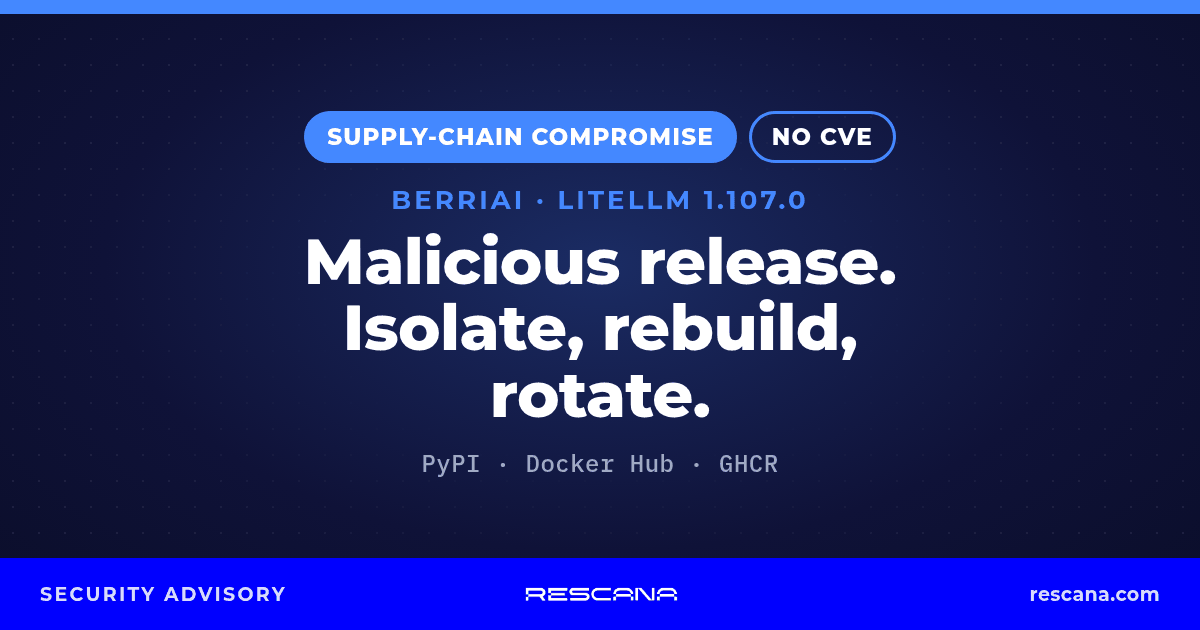
TL;DR: On 21 October 2026, LiteLLM's release pipeline was compromised and published LiteLLM v1.107.0 to PyPI and Docker with "compiled malware which steals credentials and loads remote-code execution tools" (LiteLLM incident report). The PyPI wheels were live from 11:39 to 13:23 UTC (14:39 to 16:23 Cyprus time (UTC+3)), and the Docker tags v1.107.0, latest, main-latest and main-stable pointed to the malicious image from 11:46 to 14:20 UTC (14:46 to 17:20 Cyprus time (UTC+3)). LiteLLM says all previous versions are safe, the impacted releases have been pulled, and customers on its private enterprise release were not impacted. If any system installed 1.107.0 or started one of those images in the window, LiteLLM says to assume it is compromised. There is no CVE for this incident. Wiz says it has "observed abuse of stolen credentials", starting about 4.5 hours after exfiltration (Wiz). Isolate affected hosts, rebuild them from clean images, and rotate every credential they could reach.
LiteLLM is an open-source Python SDK and proxy (AI gateway) that sits in front of LLM providers such as OpenAI, Anthropic and Google Gemini. Because it usually runs next to provider API keys, cloud identities and database connection strings, a compromised install can expose exactly the secrets an attacker wants. Socket says LiteLLM "receives approximately 23M weekly downloads" (Socket).
Exposure Windows
All times are from LiteLLM's incident report (21 October 2026).
| Artifact | Affected | Window (UTC) | Window (Cyprus time, UTC+3) | Status (per LiteLLM) |
|---|---|---|---|---|
| PyPI | litellm==1.107.0, all seven wheels | 11:39:51 to 13:23 | 14:39:51 to 16:23 | Pulled from PyPI |
| Docker Hub (docker.io/litellm/litellm) | Tags v1.107.0, latest, main-latest, main-stable | 11:46:56 to 14:20 | 14:46:56 to 17:20 | v1.107.0 removed; other tags re-pointed to verified clean artifacts |
| GHCR (ghcr.io/berriai/litellm, litellm-database, litellm-non_root) | Tags v1.107.0, latest, main-latest, main-stable | 11:46:56 to 13:51 | 14:46:56 to 16:51 | Made unavailable by 13:51 UTC |
LiteLLM's compromised Docker Hub image index digest is sha256:1bbcb1443bc962e45f5aad53fe3d2c30600e0379715fb6c664cdd3ac126c339e. LiteLLM lists the GHCR image indexes as ghcr.io/berriai/litellm sha256:1bbcb1443bc9…, ghcr.io/berriai/litellm-database sha256:c00f9d92c427… and ghcr.io/berriai/litellm-non_root sha256:7b00e91cd2fe… (truncated in LiteLLM's report).
Rescana registry check, 22 Oct 2026, 00:38 Cyprus time (UTC+3): the v1.107.0 tag returns "not found" on Docker Hub and on all three GHCR images. On all four images, latest, main-latest and main-stable now resolve to the same image index as that image's v1.106.2 tag (docker.io/litellm/litellm and ghcr.io/berriai/litellm sha256:7294b90f868c5c38c99b83021c7ba46f9b439e95f8e32964c925c7d2563a03f7; litellm-database sha256:35f2cec3a14bb297e08bfab56c1fc377432bc4071aaf71978fdff043a5d91e79; litellm-non_root sha256:07fabea33dfc2b127e865c03112dfc76936334b29028ec05cdd355af2385dc04).
LiteLLM says "The official v1.107.0 source tag in GitHub does not contain the malicious files. The compromised artifacts were built from an attacker-controlled repository." Reviewing the source tag alone will not reveal the problem.
Technical Information
What LiteLLM says happened
LiteLLM's incident report (status "Incident contained, investigation in progress", last updated 21 October 2026, 16:00 UTC / 19:00 Cyprus time (UTC+3)) and its later status updates on GitHub say:
- "LiteLLM's release pipeline was compromised and pushed v1.107.0 to the docker registry and PyPi. This version contained compiled malware which steals credentials and loads remote-code execution tools. All previous versions are safe, and the impacted releases have been pulled."
- "the malicious actions were taken through three engineers' GitHub accounts, appearing to be by way of stolen GitHub CLI OAuth tokens. The threat actor used one user's account to make changes to our release pipeline and trigger the project-releaser run, and another user's account to approve it. All tokens which were involved in this attack have been revoked."
- In the 16:00 UTC report, LiteLLM said it had "not yet identified the mechanism by which the threat actor acquired the relevant tokens, so cannot yet assert that there is no further access to these GitHub accounts." As a temporary mitigation it has "removed all but one (unaffected) user from our GitHub organization" and updated its public registries "to remove any trusted links to our GitHub organization, in order to prevent further publication of malicious packages." Its 21:22 UTC status update (below) now describes where it believes the tokens came from.
- "Customers running the private enterprise release of LiteLLM were not impacted."
- In its 18:30 UTC status update (21:30 Cyprus time) on the project's GitHub incident issue, LiteLLM says: "We have identified a potential vector through which one of the auth tokens leaked, but have not yet identified how the lateral movement occurred to the other affected engineers' accounts. We have not seen any ongoing suspicious activity, and believe that our temporary mitigations are holding." It adds that its image registries "remain locked to new releases" and that "ordinary LiteLLM releases will of course be paused until this is fully resolved" (LiteLLM on GitHub).
- In its next status update, posted on GitHub at 20:31 UTC (23:31 Cyprus time), LiteLLM says: "We believe we have identified the attack chain which resulted in the malicious packages being released. We are in the process of writing up a more complete update, but will take us another half-hour to finish writing up." It adds: "We will publish a new status update in 30 minutes with a description of the attack chain" (LiteLLM on GitHub, 20:31 UTC). LiteLLM published that description at 21:22 UTC (next bullet).
- In its status update posted on GitHub at 21:22 UTC (00:22 Cyprus time on 22 October), LiteLLM says: "We believe we have identified the attack chain which facilitated this attack. The attacker had to compromise multiple independent security controls to be successful." Per LiteLLM (LiteLLM on GitHub, 21:22 UTC):
- Release permissions. "On Monday, we temporarily expanded release permissions to allow two internal engineers to publish daily bugfix backports for customers."
- Stolen tokens. "The attacker had access to three sets of developer github CLI credentials", one of which "had the ability to run github workflows."
- Branch protection bypassed. The attacker's attempt to merge a change pointing the releaser at a different source repository was blocked by LiteLLM's protections, but "One of the tokens held by the attacker belonged to one of our two Github organization owners. The attacker used this to disable branch protections and force push the change."
- Malicious release. "Finally, they ran the compromised workflow, pointed at a lookalike repository (
Berri-AI/litellminstead ofBerriAI/litellm), which signed and published the poisoned artifacts." - Where the tokens came from. "We identified an unexpected, innocuously named user account in our internal LiteLLM deployment, which was exposed to the public internet. We believe the attacker gained access to this deployment, obtained the GitHub CLI OAuth tokens from its logs, and subsequently used those credentials to compromise our release workflow."
- How the tokens reached the logs (LiteLLM's account). LiteLLM says: "After a thorough investigation, we have observed specific situations in which Claude Code will embed a user’s GitHub CLI OAuth token into a response body, and in situations where response bodies are logged, these tokens may appear in LiteLLM logs." LiteLLM did not describe those situations further; this is LiteLLM's account, not a statement from Anthropic.
- Not yet confirmed. "We have not yet confirmed how the attacker gained access to our internal deployment, but currently suspect it was through a recently patched vulnerability." LiteLLM says it is "still working on confirming some of the above, and identifying a timeline", and that its next status update will follow at 23:20 UTC (02:20 Cyprus time on 22 October).
LiteLLM's timeline (21 October 2026):
- 10:08 UTC (13:08 Cyprus time, UTC+3): GitHub branch protection rejected an unauthorized change to LiteLLM's private release workflow; seconds later, a credential tied to a privileged developer account was used to override those protections and apply the change.
- 10:46 UTC (13:46): The modified workflow started an official staging run using an attacker-controlled source repository.
- 11:11 UTC (14:11): A credential tied to a second developer account satisfied the production approval gate.
- 11:39 to 11:40 UTC (14:39 to 14:40): Seven malicious litellm==1.107.0 wheels were uploaded to PyPI.
- 11:46 UTC (14:46): Container publication jobs ran; the published Docker image included the malicious content.
- 11:53 to 11:54 UTC (14:53 to 14:54): Credentials tied to a third developer account were used to delete the production and staging workflow records, which LiteLLM says "limited the workflow logs available for investigation."
- 12:09 to 12:24 UTC (15:09 to 15:24): The unauthorized workflow revision was removed and the release workflow restored.
- By 13:23 UTC (16:23): PyPI had removed litellm==1.107.0. (PyPI's project page now shows 1.107.0 as "Release quarantined".)
- 13:51 UTC (16:51): The affected GHCR tags were unavailable; Docker Hub tags still resolved to the compromised image.
- 14:20 UTC (17:20): All affected Docker Hub tags and image variants were removed or re-pointed to verified clean artifacts.
LiteLLM says it will keep updating its report and will post more detail on how to find indications of compromise. As of 00:38 Cyprus time on 22 October (21:38 UTC on 21 October), the incident report still showed its 16:00 UTC update and did not yet include the attack chain. LiteLLM's latest status update, posted on GitHub at 21:22 UTC, describes the attack chain (above) and says the next one will follow at 23:20 UTC (02:20 Cyprus time on 22 October).
What researchers report
The following details come from security researchers and the press, not from LiteLLM:
- How the malware runs. Wiz, StepSecurity and Aikido report that each malicious wheel drops three files into the root of Python's site-packages: cook.pth, cook.py and sitecustomize.py. Python processes these at every interpreter start, so the malware runs whenever Python starts in that environment, even if the code never imports LiteLLM (Wiz, StepSecurity, Aikido). LiteLLM's own remediation steps name the same three files.
- Credential stealer. Researchers say cook.py is a credential stealer (StepSecurity and Wiz say it calls itself "privcollect"). Wiz reports it targets browser credentials and cookies, AWS, Google Cloud and Azure credentials (including cloud instance metadata), API keys for OpenAI, Anthropic, Cohere and other LLM providers, SSH private keys, GPG keys and shell history. Wiz and Aikido say it also queries the LiteLLM proxy database directly to pull the stored provider credentials (the "LiteLLM_CredentialsTable"). Aikido and StepSecurity add CI/CD secrets, Kubernetes tokens, Vault tokens and AI coding-tool configuration files.
- Exfiltration. Wiz, Aikido, Socket and StepSecurity report that stolen data is encrypted and sent by HTTP POST to the lookalike domain litellm[.]dev (path /healthcheck), which Aikido says "is attacker-controlled and is not affiliated with the legitimate LiteLLM project" (Wiz, Aikido).
- Remote code loader. Researchers describe sitecustomize.py as a remote access trojan or remote code loader. StepSecurity says it "forks a background daemon that checks a GitHub dead drop every hour and runs whatever Python the attacker serves." Wiz and Aikido report that GitHub has taken down the dead-drop repository.
- Lookalike source repository. LiteLLM's own timeline says the modified workflow used "the attacker-controlled source repository Berri-AI/litellm" (LiteLLM incident report). Wiz and Socket note that Berri-AI/litellm is one hyphen away from the legitimate BerriAI organization (Socket).
- Use of stolen credentials. Wiz says it "has observed abuse of stolen credentials", starting about 4.5 hours after exfiltration. Between 16:20 and 17:01 UTC (19:20 and 20:01 Cyprus time), AWS instance-role credentials harvested from compromised CI runners and Kubernetes nodes were checked from two IP addresses (listed below), followed by calls listing available AI models, which Wiz calls "consistent with LLMjacking". In a small number of environments the attacker also enumerated IAM users, roles and access keys (Wiz).
This is the second LiteLLM PyPI compromise this year. In March 2026, litellm 1.82.7 and 1.82.8 were published with credential-harvesting malware (GitHub Advisory Database, GHSA-5mg7-485q-xm76); GitHub's malware feed separately lists the same two versions as GHSA-92x9-889m-jgmw, imported from OpenSSF's MAL-2026-2144. Researchers say this October incident used different tooling and infrastructure (OX Security).
CVE / advisory status (checked 22 October 2026, 00:39 Cyprus time (UTC+3)): No CVE has been assigned. LiteLLM has not published a GitHub security advisory for this incident, and the GitHub Advisory Database and OSV list no entry for litellm 1.107.0 (OSV's only LiteLLM malware entry, MAL-2026-2144, covers the March versions). CISA's KEV catalog (version 2026.10.21) has no entry for this incident. We found no alert from CISA, CERT-EU or the UK NCSC.
Affected Product Versions
| Product | Affected | Not affected (per LiteLLM) |
|---|---|---|
| litellm on PyPI | 1.107.0 (all seven wheels), installed 11:39 to 13:23 UTC on 21 Oct 2026 | All previous versions |
| LiteLLM Docker images (Docker Hub and GHCR, including litellm-database and litellm-non_root) | Tag v1.107.0, plus latest, main-latest and main-stable if pulled or started in the windows above | Images outside those tags and windows |
| LiteLLM private enterprise release | Not affected | Private enterprise registry |
LiteLLM says to "pin your version to 1.106.2 or any explicit version published prior to now" (LiteLLM incident report).
Who is affected (per LiteLLM): "You are affected if you used an unpinned version of LiteLLM between 11:39 and 13:23 UTC via pip or if you used the docker image v1.107.0, latest, main-latest, or main-stable between 11:46 and 14:20 UTC."
How to check
- Python environments: run
pip show litellmin every virtual environment, container and CI image. LiteLLM says that if an environment started Python with litellm==1.107.0, treat it as compromised. - Lockfiles and build logs: search requirements files, lockfiles (poetry.lock, uv.lock, Pipfile.lock) and CI/CD build logs for litellm 1.107.0, and for unpinned
litellminstalls that ran on 21 October between 11:39 and 13:23 UTC (14:39 to 16:23 Cyprus time, UTC+3). (Rescana guidance.) - Containers: check image pulls and running containers for the v1.107.0, latest, main-latest and main-stable tags in the Docker window. LiteLLM says any container that executed image digest sha256:1bbcb1443bc962e45f5aad53fe3d2c30600e0379715fb6c664cdd3ac126c339e should be treated as compromised. Check Kubernetes, Compose and CI definitions that use floating tags. (Floating-tag review is Rescana guidance.)
- CI runners: Socket says teams should "investigate environments where Python ran after installation, including proxy containers and CI runners" (Socket). Self-hosted runners that installed LiteLLM in the window need the same treatment as servers.
- Files on disk: LiteLLM says to search for litellm-1.107.0.dist-info, cook.pth and sitecustomize.py. "Finding one confirms exposure, but not finding one does not prove the environment is clean."
Workaround and Mitigation
- Isolate first, and don't start with pip. LiteLLM warns: "Don't start with pip install. Any Python start in the affected environment runs cook.pth and sitecustomize.py again, and that includes running pip." Take affected hosts and containers off the network before cleanup. (Isolation is Rescana guidance; OX also recommends it.)
- Rebuild, don't just clean. LiteLLM lists cleanup steps (delete cook.pth, cook.py, sitecustomize.py and matching cook*.pyc / sitecustomize*.pyc files from every affected site-packages; kill the detached Python daemon that holds /tmp/remote_code_loader.lock) and says "Rebuilding images and venvs from scratch is better." Rebuild from a clean base and redeploy containers from a verified image.
- Pin below 1.107.0. Per LiteLLM, pin to 1.106.2 or any explicit earlier version (LiteLLM incident report). For containers, pin a known-good image by digest rather than a floating tag such as latest or main-stable (Rescana guidance; StepSecurity gives the same advice). Researchers differ slightly on the "safe" pin (OX lists 1.106.0, while Wiz and StepSecurity cite 1.106.2); LiteLLM's own wording is that all versions before 1.107.0 are safe.
-
Assume the secrets are gone and rotate them. LiteLLM says: "If 1.107.0 was ever installed on a host with outbound internet, assume the exfil succeeded." Rotate everything the host could reach, starting with what LiteLLM names:
- the instance or task IAM role and any other cloud credentials (AWS, GCP, Azure) on the host;
- every LLM provider key stored in the LiteLLM proxy database, plus the LiteLLM master and virtual keys;
- the DATABASE_URL password;
- any secret that was in the environment of any process on the host.
Also rotate CI/CD and GitHub tokens, SSH and GPG keys, and container registry and package-publishing credentials reachable from affected hosts or runners (Rescana guidance, based on what researchers say the stealer targets). Rotate from a clean machine.
-
Check your cloud logs. LiteLLM recommends checking CloudTrail "for GetCallerIdentity from the instance role around install time, then for use of the role's credentials from outside your infrastructure." Do the same for your LLM provider usage dashboards and other cloud audit logs. (The provider-dashboard check is Rescana guidance.) Wiz reports that the stolen credentials it saw abused were checked with sts:GetCallerIdentity and then used to list Amazon Bedrock models (Wiz), so include Bedrock activity from unfamiliar IP addresses in that review (Rescana guidance).
- Block and hunt. Block the exfiltration domain litellm[.]dev at DNS and egress, and hunt for the indicators below.
Indicators of Compromise
From LiteLLM's incident report:
- Files: litellm-1.107.0.dist-info, cook.pth, cook.py, sitecustomize.py (and matching cook*.pyc / sitecustomize*.pyc in __pycache__) in site-packages
- Lock file of the detached daemon: /tmp/remote_code_loader.lock
- Docker image index: sha256:1bbcb1443bc962e45f5aad53fe3d2c30600e0379715fb6c664cdd3ac126c339e
Reported by researchers (attributed, defanged):
- Exfiltration endpoint: www[.]litellm[.]dev/healthcheck (HTTP POST) (Wiz, Aikido, Socket, StepSecurity)
- Marker file /tmp/.pc_once_72129118c59f5636c0bb (Wiz, Aikido); Aikido says of /tmp/.pc_once_* that "the exfil has already fired if this file exists"
- Lookalike source repository github[.]com/Berri-AI/litellm (LiteLLM, Wiz, Socket)
- GitHub dead-drop repository github[.]com/letters9813/pythonclient-test (Wiz, Aikido, StepSecurity); Wiz and Aikido say GitHub has taken it down
- Source IP addresses seen checking stolen AWS credentials, 16:20 to 17:01 UTC on 21 Oct: 168.100.8[.]57 and 165.227.201[.]8 (Wiz)
Wiz, Socket and StepSecurity publish fuller indicator lists, including file hashes. As LiteLLM notes, the absence of these indicators does not prove a system is clean; containers and /tmp cleanup can remove them.
Why this matters for vendor risk
LiteLLM is a gateway that holds the keys to your AI and cloud services. If a vendor runs it in its product, its internal tooling or its CI pipeline, a single unpinned install or floating-tag pull during a window of under three hours on 21 October could have handed an attacker the provider keys, cloud credentials and database passwords that vendor uses, including any that reach your systems or process your data. Wiz says it saw stolen credentials being abused within about 4.5 hours, so a vendor that is slow to rotate is itself the exposure. You will not see this from the outside, so ask your critical vendors directly:
- Do you use LiteLLM anywhere, including the Python SDK, the LiteLLM proxy, CI runners or containers?
- Did any of your systems install litellm 1.107.0, or pull or start the LiteLLM v1.107.0, latest, main-latest or main-stable Docker images, between 11:39 and 14:20 UTC on 21 October 2026?
- If so, have you isolated and rebuilt those hosts, and rotated your LLM provider keys, cloud credentials, secrets stored in the LiteLLM proxy, and CI/GitHub tokens? When will you confirm that in writing?
Then follow up until each one confirms.
What we will update: We will update this post when LiteLLM posts its next status update (promised for 23:20 UTC / 02:20 Cyprus time on 22 October), confirms how the attacker reached its internal deployment, publishes its incident timeline or adds the attack chain to its incident report; if a GitHub security advisory or OSV/PyPI malware entry is issued; or if a national CERT (CISA, CERT-EU, NCSC) issues an alert.
Sources
- LiteLLM (vendor): "LiteLLM release v1.107.0 Compromised" security incident report (21 Oct 2026, last updated 16:00 UTC) https://docs.litellm.ai/blog/security-incident-oct-21-2026; status updates on the GitHub incident issue, 18:30 UTC https://github.com/BerriAI/litellm/issues/47826#issuecomment-6323520915, 20:31 UTC https://github.com/BerriAI/litellm/issues/47826#issuecomment-6325886174 and 21:22 UTC https://github.com/BerriAI/litellm/issues/47826#issuecomment-6326854488; GitHub security advisories https://github.com/BerriAI/litellm/security/advisories; v1.107.0 source tag https://github.com/BerriAI/litellm/releases/tag/v1.107.0
- Package registries: PyPI litellm project page (1.107.0 shown as "Release quarantined") https://pypi.org/project/litellm/; Docker Hub litellm/litellm tags https://hub.docker.com/r/litellm/litellm/tags
- GitHub Advisory Database, GHSA-5mg7-485q-xm76, "Two LiteLLM versions published containing credential harvesting malware" (March 2026, litellm 1.82.7 and 1.82.8): https://github.com/advisories/GHSA-5mg7-485q-xm76
- Research-firm analyses (each first-party for its own findings): Wiz, "LiteLLM Compromised, Steals Credentials" https://www.wiz.io/blog/litellm-compromised-steals-credentials · StepSecurity https://www.stepsecurity.io/blog/litellm-1-107-0-compromised-pypi-backdoored-wheels-credential-stealer · Aikido Security https://www.aikido.dev/blog/litellm-compromised-infostealer-rat · Socket https://socket.dev/blog/litellm-compromise · OX Security https://www.ox.security/blog/litellm-1-107-0-compromised-with-a-rat-infostealer/
Forward this to your TPRM owner: If any of your vendors build AI features, run an AI gateway or use Python in their CI pipelines, ask them today whether they use LiteLLM, whether any system installed 1.107.0 or pulled the affected Docker tags on 21 October, and, if so, whether they have rebuilt those hosts and rotated their LLM, cloud and CI credentials, and when they will confirm.
Want to see which of your vendors depend on AI gateways like LiteLLM, and how quickly they respond to supply-chain incidents? Book a demo.